If you are running algorithmic strategies by connecting TradingView Webhooks to a custom Python server or directly to the Binance API, Error -1102 is your worst enemy.
Your chart prints a perfect “Buy” signal, the webhook fires, but your exchange log spits back: Error -1102: A mandatory parameter (symbol/side/type) was not sent, was empty/null, or malformed.
The signal was correct, but the execution failed. Here is the 2026 technical guide to fixing your JSON payloads and Webhook formatting so you never miss a trade again.
Step 1: Fix the TradingView JSON Payload Formatting
The most common cause of Error -1102 is invalid JSON syntax sent from TradingView’s alert message box. Binance’s API requires strict parsing.
- The Issue: Using single quotes (
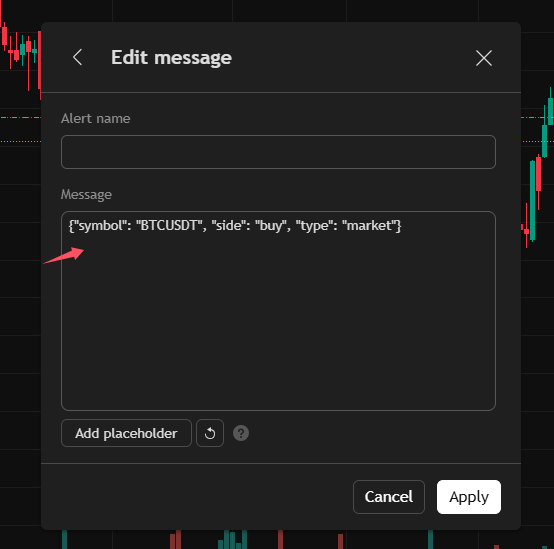
') instead of double quotes ("), or trailing commas in your JSON payload. - The Fix: Open your TradingView Alert settings. Ensure your message looks exactly like this, with strict double quotes:
{"symbol": "{{ticker}}","side": "BUY","qty": "{{strategy.order.contracts}}"} - Hidden Trap: If
{{ticker}}outputs something likeBINANCE:BTCUSDT, the API will reject it. You must ensure your script formats the symbol precisely asBTCUSDTwithout the exchange prefix.
Step 2: Handle String-to-Float Conversion in Python/CCXT
If you are using a Python middleware (Flask/FastAPI) to catch the webhook before sending it to CCXT, the qty or price parameters might be passed as strings instead of floats.
- Wrong:
exchange.create_order(symbol, 'limit', 'buy', "1.5", "65000") - Right: You must cast the payload values to the correct data type before execution:
quantity = float(request_data['qty'])price = float(request_data['price'])
Step 3: Verify the “Content-Type” Header
If Binance tells you all mandatory parameters are missing, it means the API engine didn’t parse your body payload at all.
- The Check: Ensure your HTTP request headers explicitly define the payload format.
- The Fix: You must include
'Content-Type': 'application/json'or'Content-Type': 'application/x-www-form-urlencoded'depending on the specific endpoint you are hitting. (REST v3 typically requires URL-encoded parameters, not raw JSON body).
🛑 Tired of Building Buggy Webhook Bridges?
Let’s be honest: Building and maintaining your own Python middleware to parse TradingView alerts into exchange APIs is a massive waste of time. One small JSON error (-1102) and your entire automated strategy collapses.
Smart Algo-Traders are switching to Bitget’s Native Signal Trading in 2026.
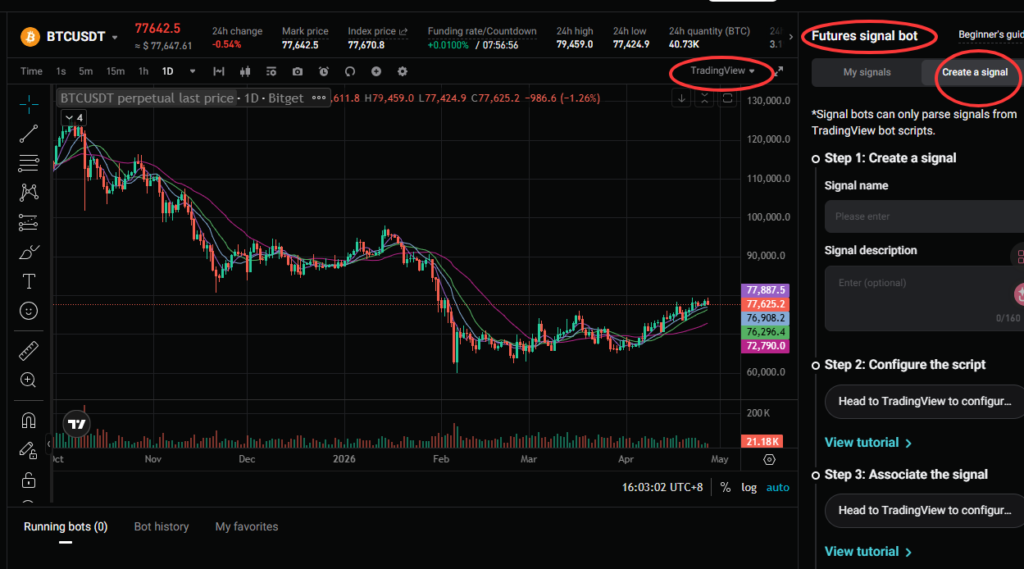
Bitget has built a seamless, zero-code integration with TradingView.
- Native Webhooks: Send TV alerts directly to Bitget. No Python servers needed.
- Multi-Asset Sync: Instantly route signals across professional trading accounts (including MT5 integrations) without worrying about API parameters.
- Zero Malformed Payloads: Bitget’s engine natively parses TV variables.
Stop debugging JSON strings and focus on your strategy’s Alpha.
👉 [Click Here to Activate Bitget Native Signal Bots & Claim $80 Bonus] 🔗 Link: https://share.glassgs.com/u/X98DHWFQ?clacCode=RB79RVR2
(Register via the link to unlock the VIP Signal Trading tier and instantly automate your TradingView strategies!)